MomentumcinemaOSDownload
cinemaOS
MomentumcinemaOS

Momentum cinemaOS press kit

A video and photo studio for Mac and Windows. Edit, color, mix, lay out and deliver from one project, with an assistant that runs on your computer. $9.99 a month after 14 free days.

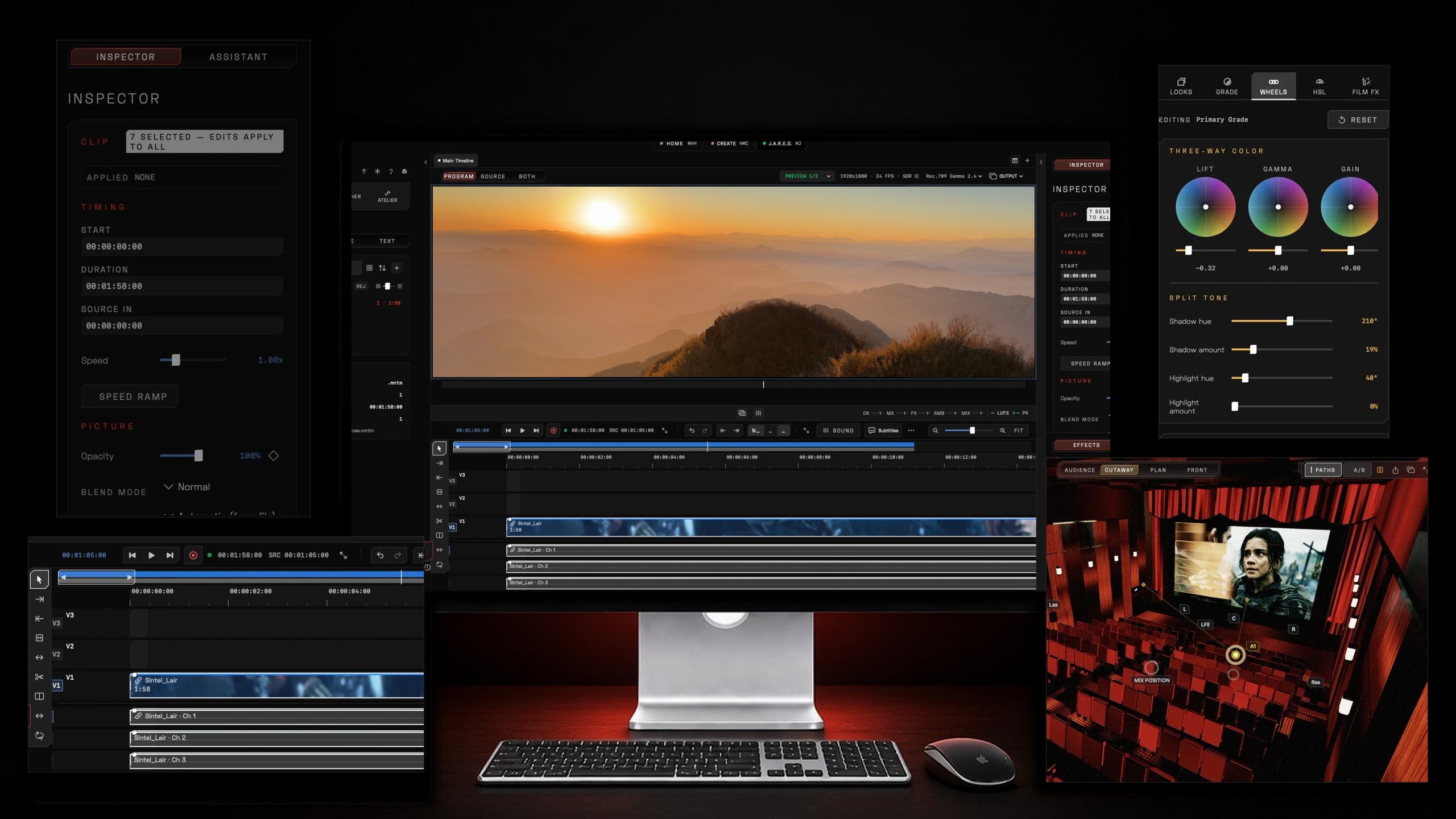
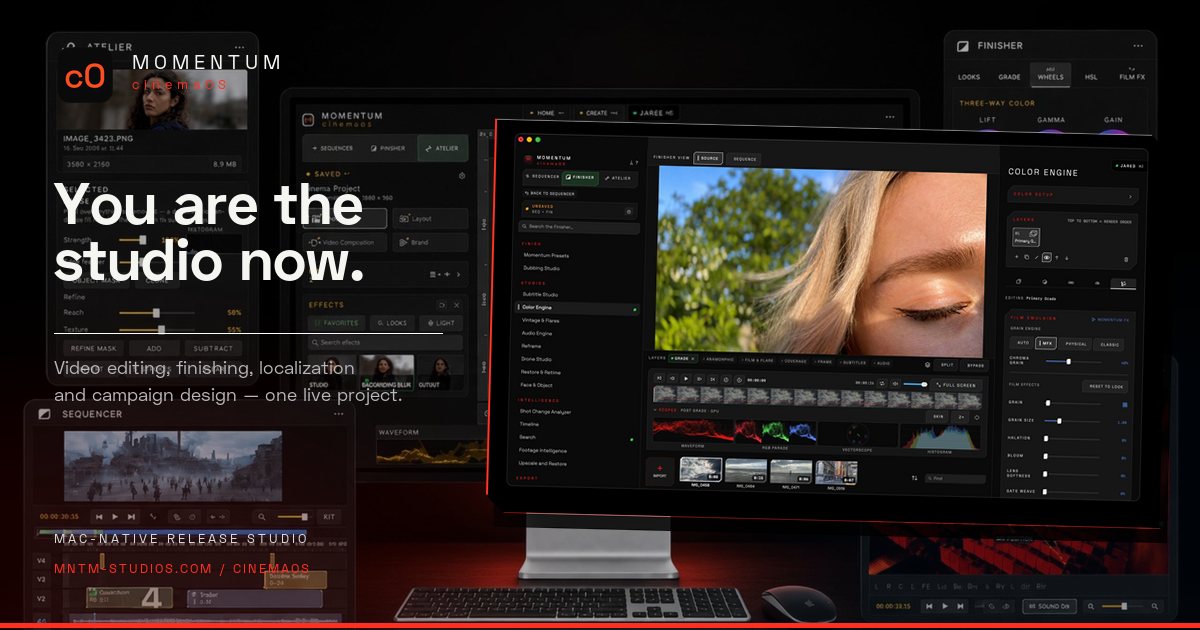
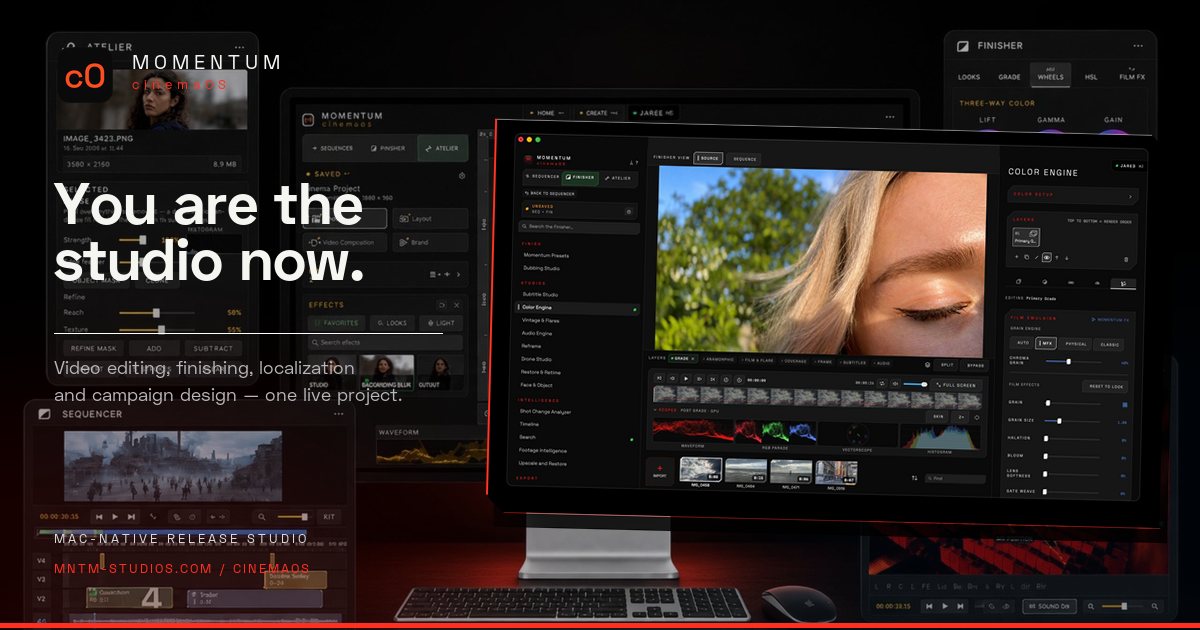
cinemaOS Sequencer, Finisher color wheels and Spatial Theatrics around a Mac

Fact sheet

Check these figures before you publish.

Product
Momentum cinemaOS
What it is
Video and photo studio: edit, color, sound, layout and delivery in one project
Platform
macOS on Apple silicon, and Windows through the Microsoft Store
Version
0.3, build 12
Mac download
About 200 MB, Apple silicon (M1 or later), macOS 15 or later
Price
$9.99 USD per month, excluding VAT
Free trial
14 days, no card, no automatic charge
Teams
$8.99 USD per seat per month, 2 to 50 seats
Availability
Available now for Mac (download) and Windows (Microsoft Store)
Website languages
16: English, Dutch, French, German, Italian, Spanish, Portuguese, Polish, Swedish, Danish, Norwegian, Finnish, Ukrainian, Japanese, Korean, Chinese
Maker
Momentum Studios SI
Founder
Julien Hayet-Kerknawi
Download for Mac
Momentum-cinemaOS.dmg (0.3, build 12, about 200 MB)
Get it for Windows
Momentum cinemaOS on the Microsoft Store

For comparison: Adobe Creative Cloud Pro costs $104.99 a month in the US on the month-to-month plan. cinemaOS prices are listed without VAT.


Boilerplate

A short and a long description you can paste as written.

50 words

Momentum cinemaOS is a video and photo studio for Apple silicon Macs and Windows. Sequencer edits picture and sound, Finisher handles color, Reframe, localization and delivery, and Atelier builds layouts, photos and brand kits. J.A.R.E.D., the built-in assistant, runs on your computer. cinemaOS costs $9.99 a month after 14 free days.

120 words

Momentum cinemaOS is a video and photo studio for Mac and Windows, made by Momentum Studios SI. One project moves through three rooms. Sequencer edits picture and sound. Finisher handles color and scopes, Reframe, localization, fixes and delivery. Atelier lays out posters, photos, video compositions and brand kits. In Sound mode, Spatial Theatrics turns tracks into objects in a 3D theater, with dialogue, music, effects and ambience buses and scene loudness read against a target. J.A.R.E.D., the on-device assistant, takes Command J requests, transcribes and follows design instructions without credits. cinemaOS costs $9.99 USD a month excluding VAT, with 14 days free and no card. Teams pay $8.99 per seat. It is available now for Mac (download) and Windows (Microsoft Store).

Features by room

Every image below is a capture of the real app. Click the link under an image to download the full-size JPG.

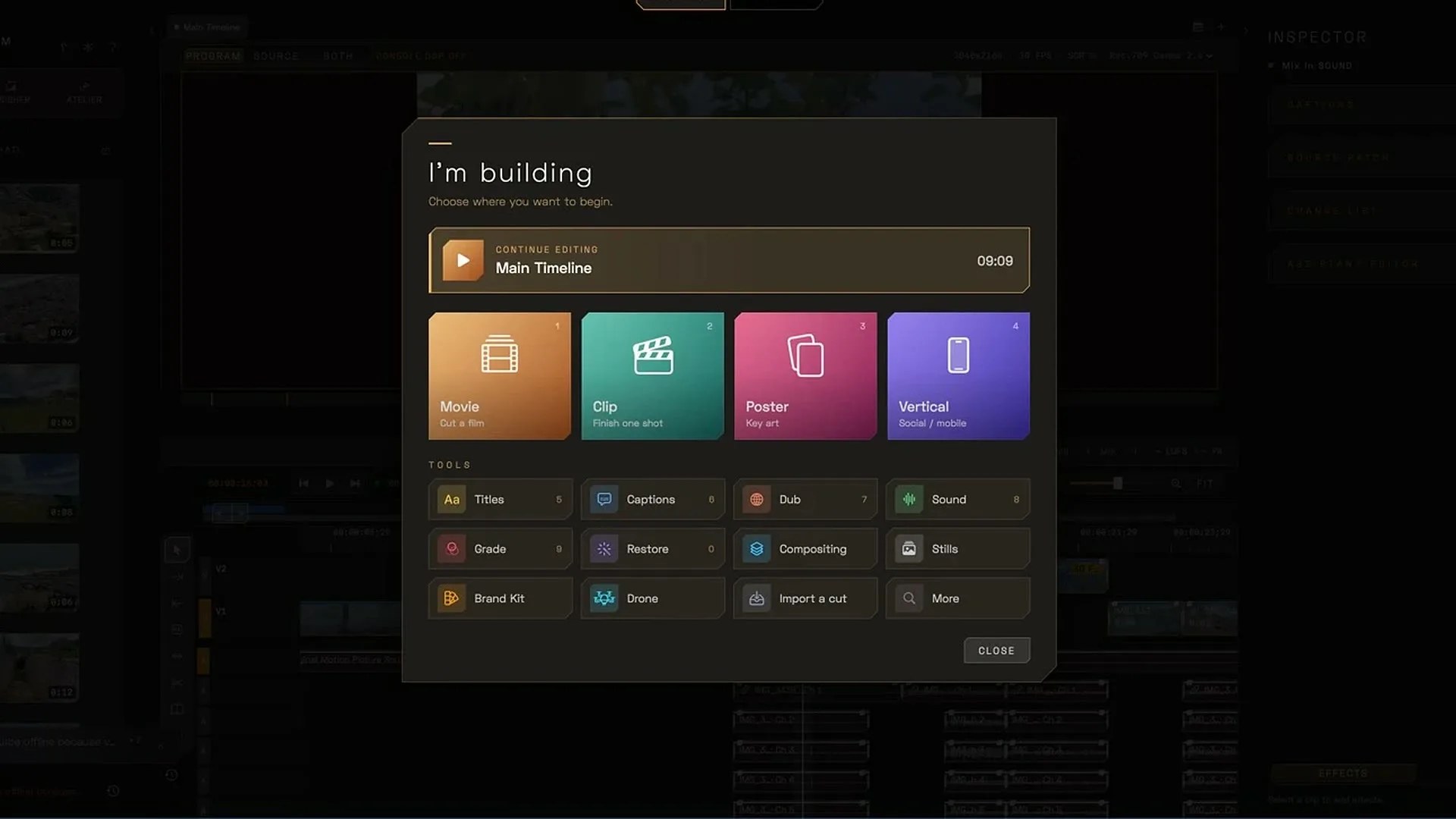
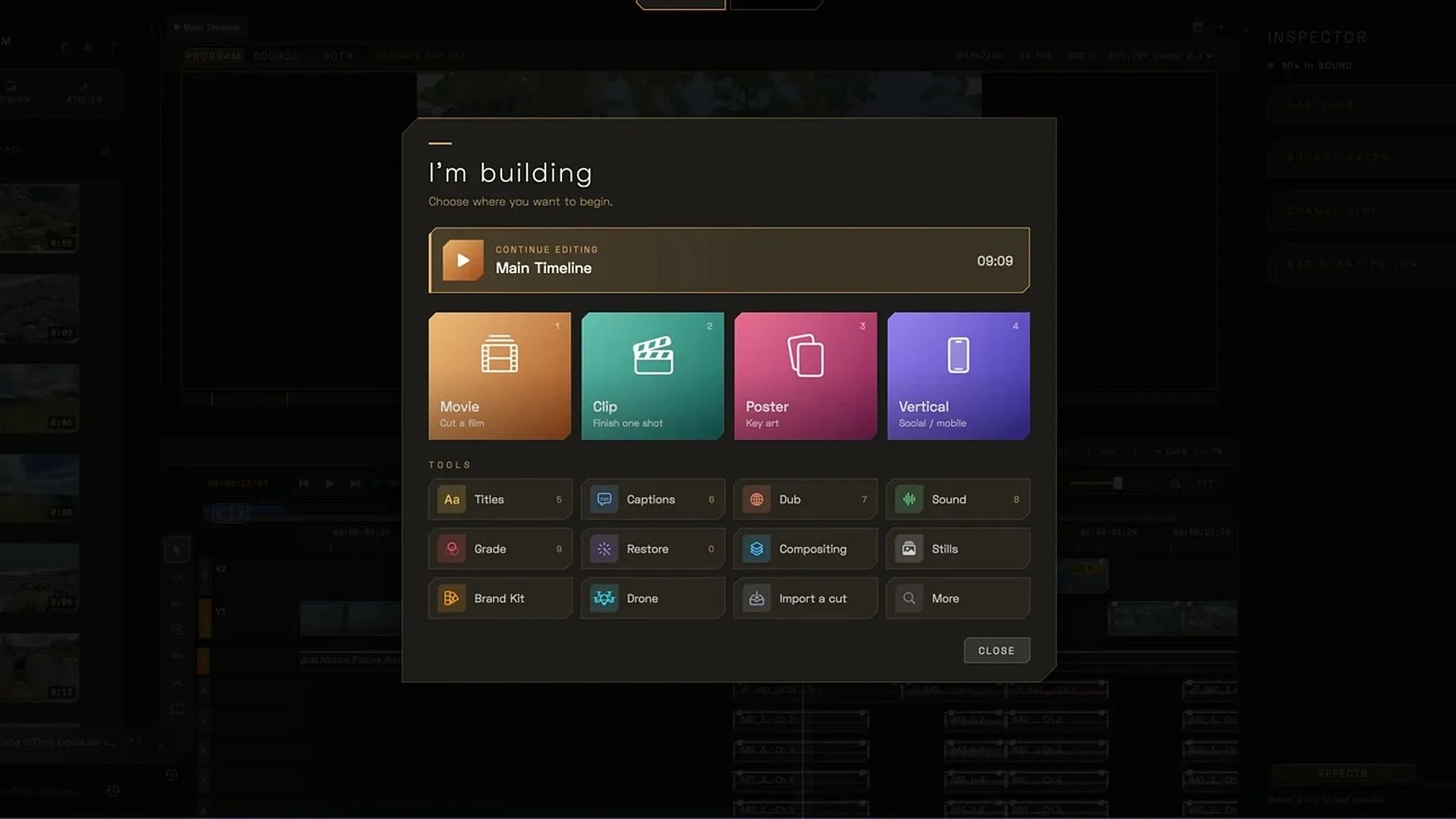
cinemaOS Home interface

Home

Start from what you are making.

  • “I’m building” opens a Movie, Clip, Poster or Vertical project
  • Command palette (Shift Command P) runs any action from the keyboard
  • Momentum Dial puts Split, Duplicate, Nudge and Ripple Delete on the selected clip
JPG, 1920 x 1080, 115 KB
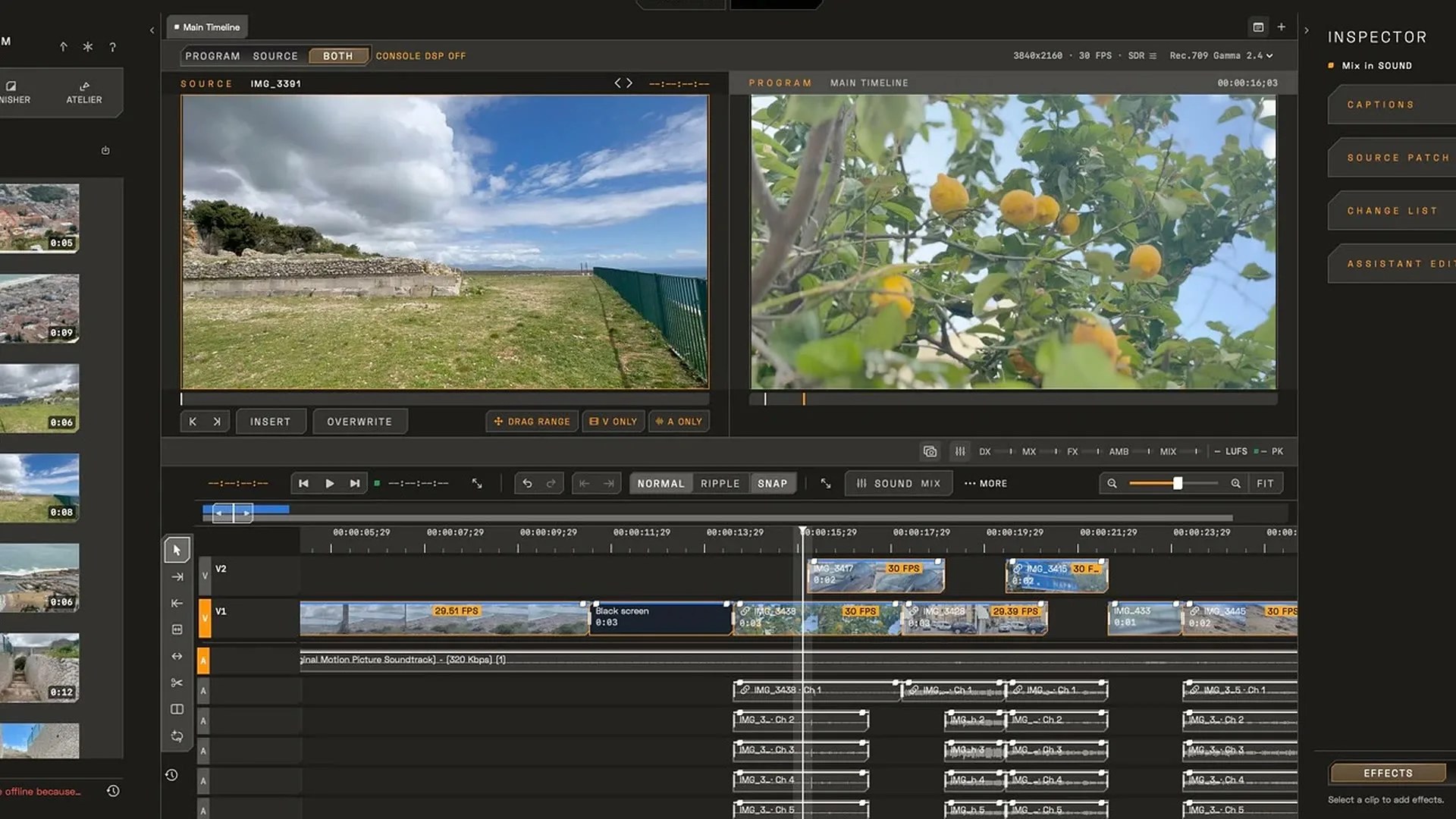
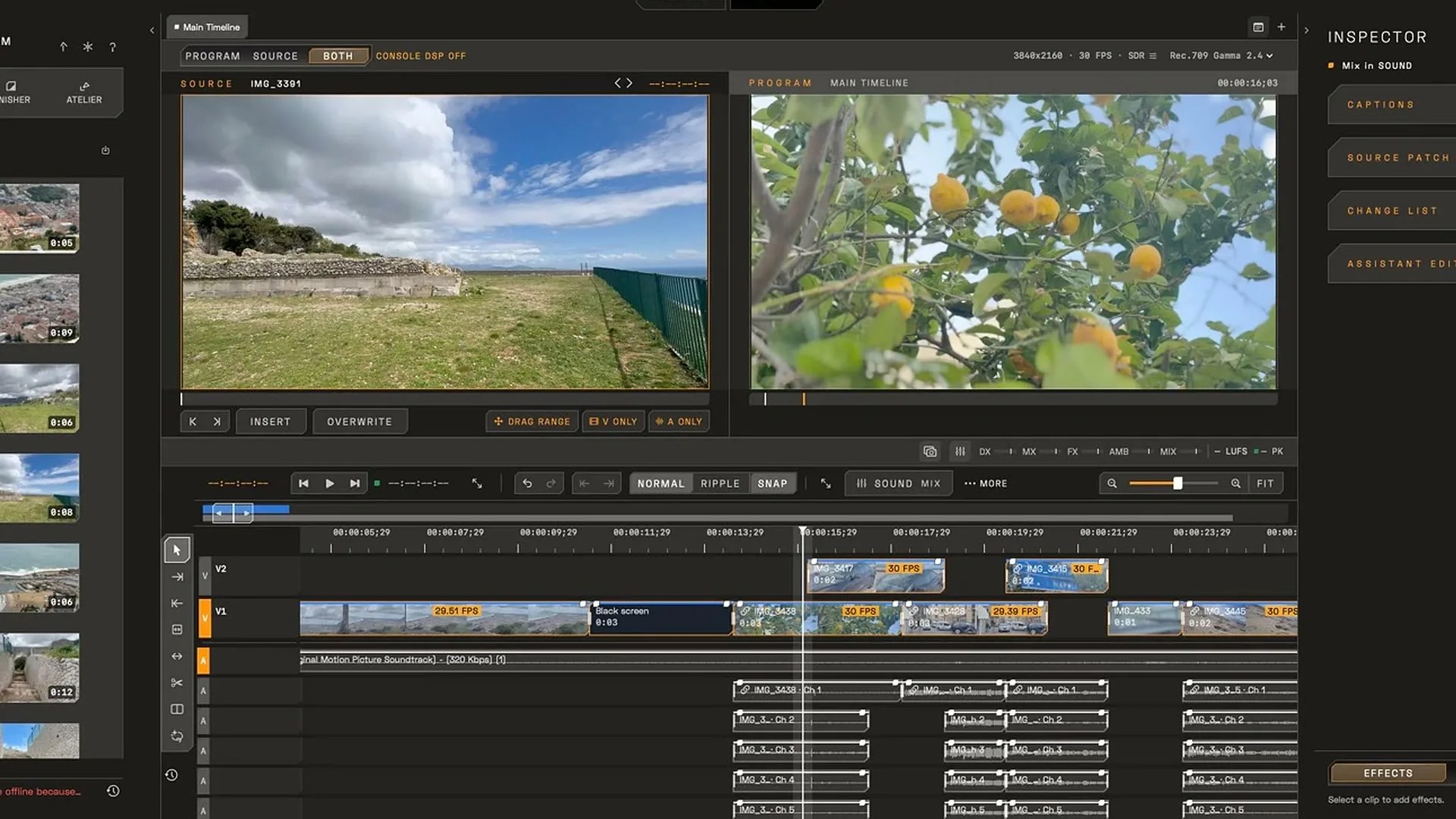
cinemaOS Sequencer interface

Sequencer

Edit picture and sound.

  • Multitrack timeline for picture and sound
  • Imports an XML or EDL cut and hands it back as FCPXML or EDL
  • Transcribe a scene and cut the timeline from the words
JPG, 1920 x 1080, 314 KB
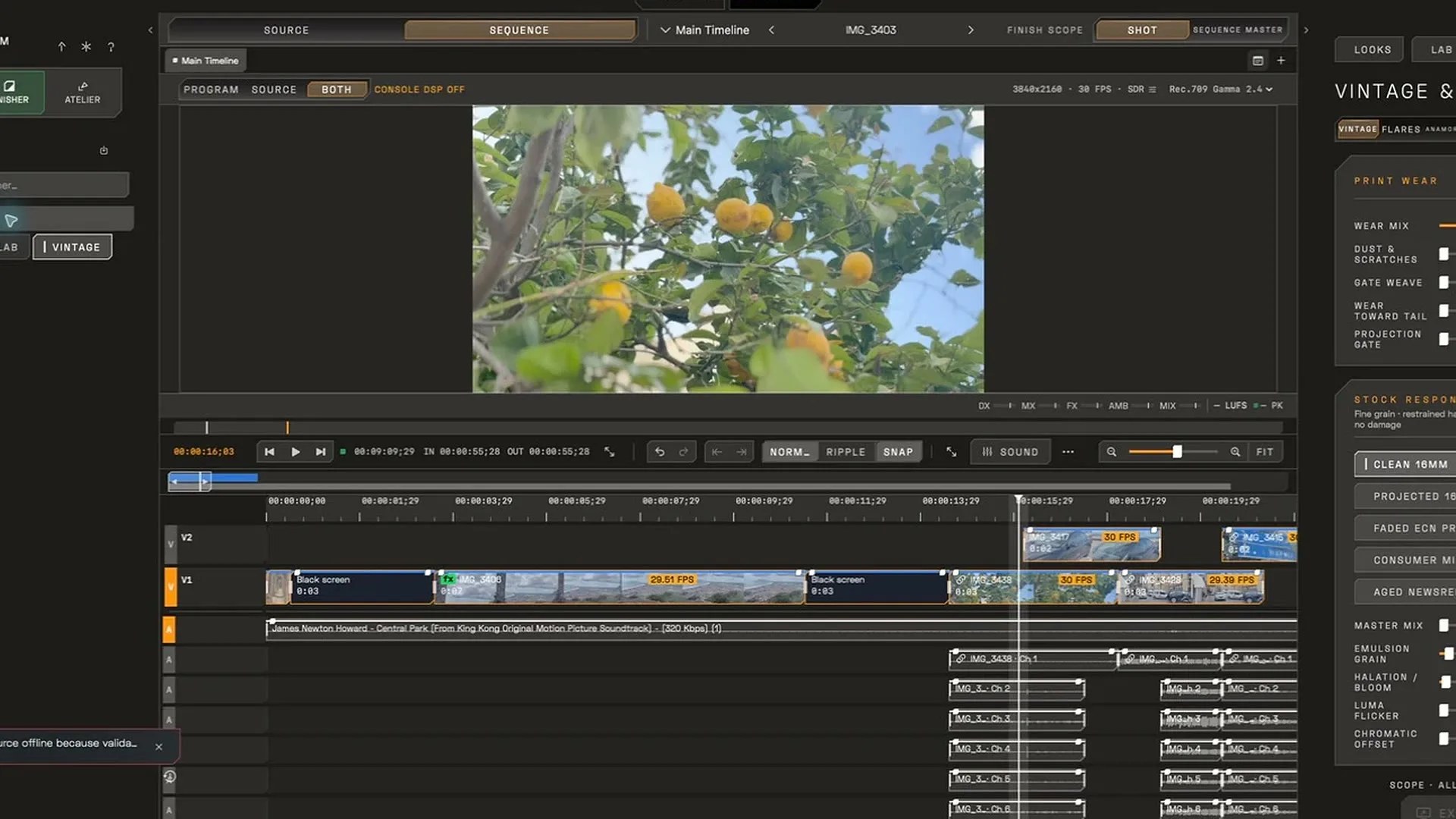
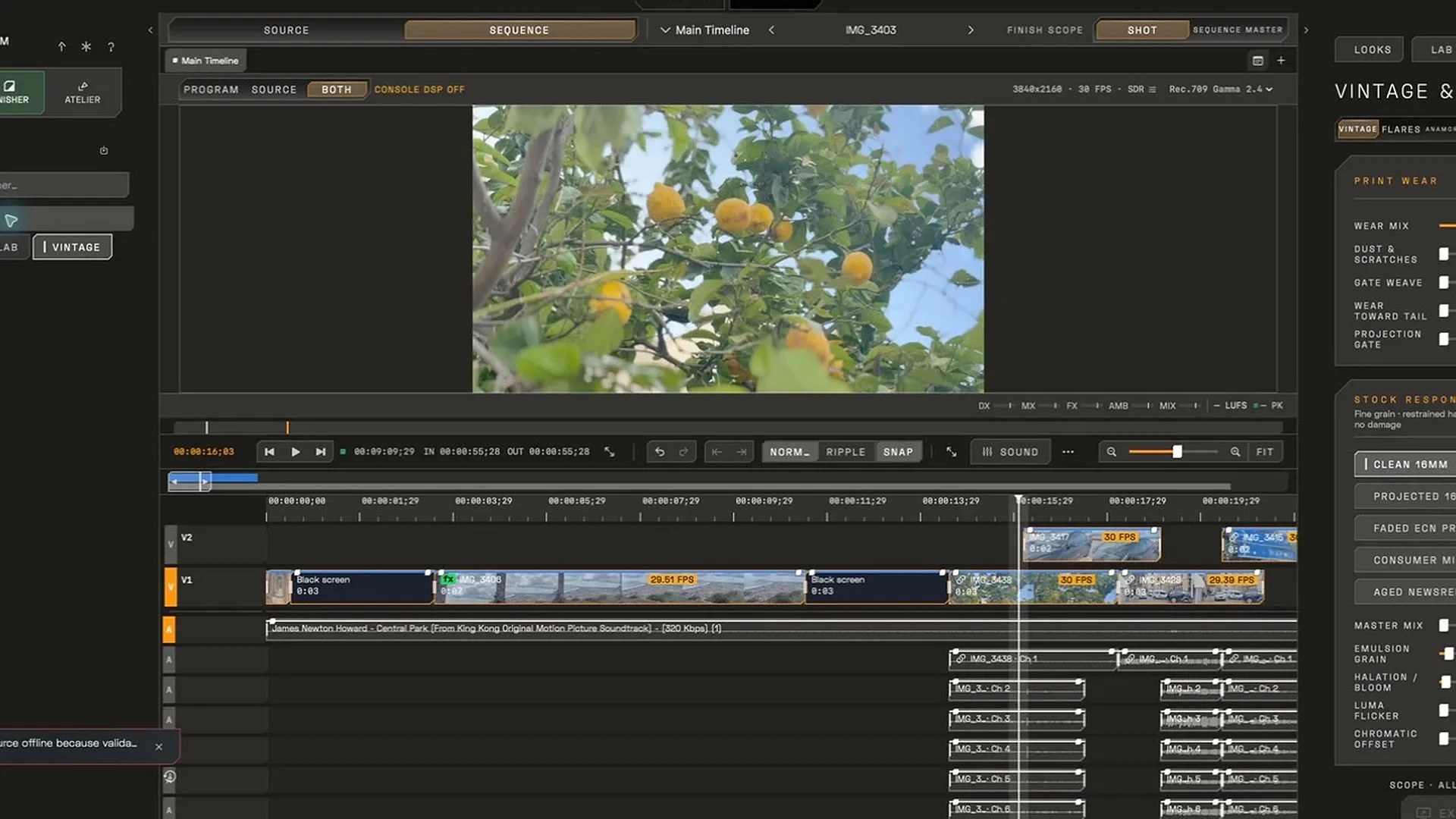
cinemaOS Finisher interface

Finisher

Grade, reframe, subtitle and deliver the cut.

  • Color grading with scopes and Shot Match from a reference still
  • Reframe from 16:9 to 9:16, with a camera move that tracks the main subject
  • Subtitles, local translation, fixes and delivery, including SRT or burned-in captions
JPG, 1920 x 1080, 242 KB
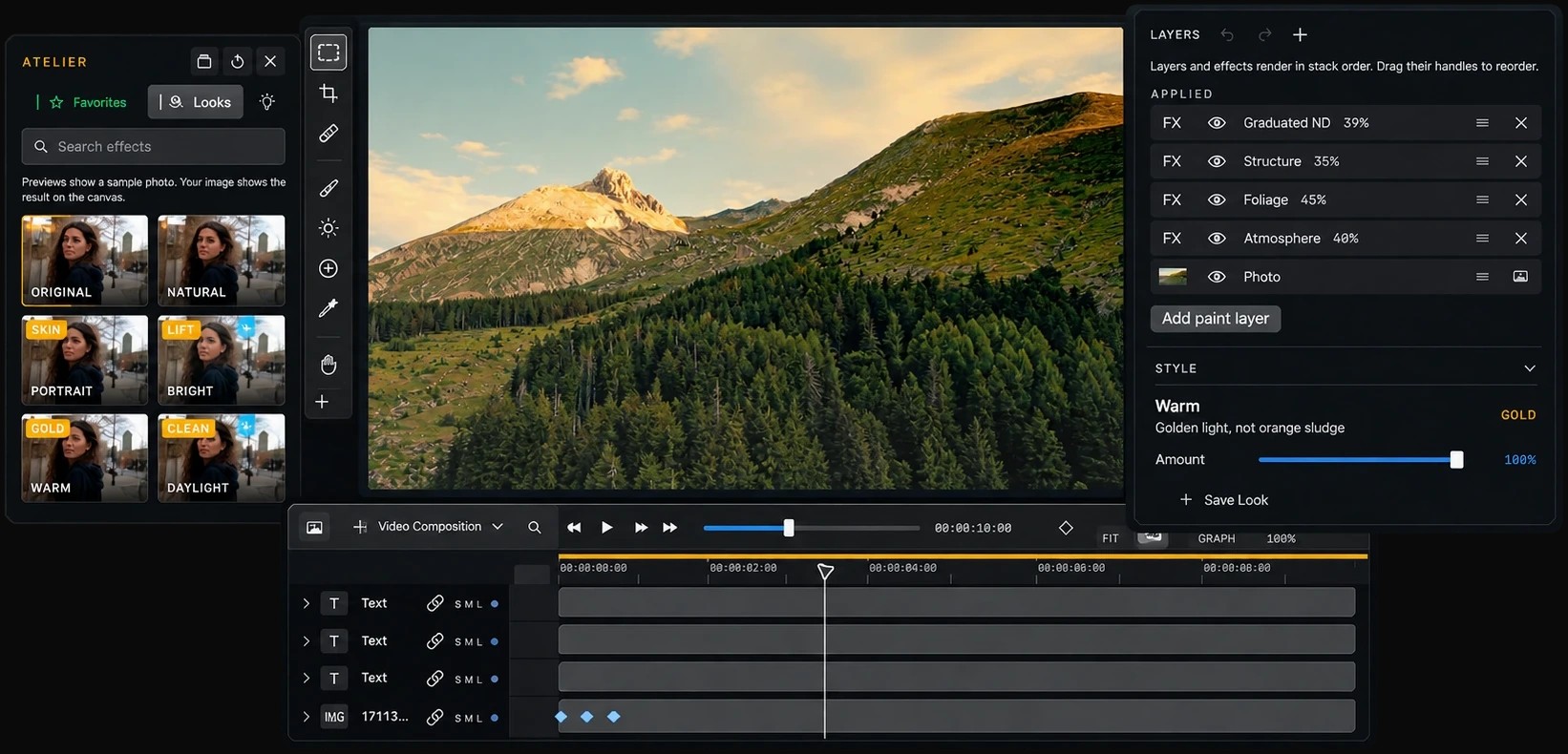
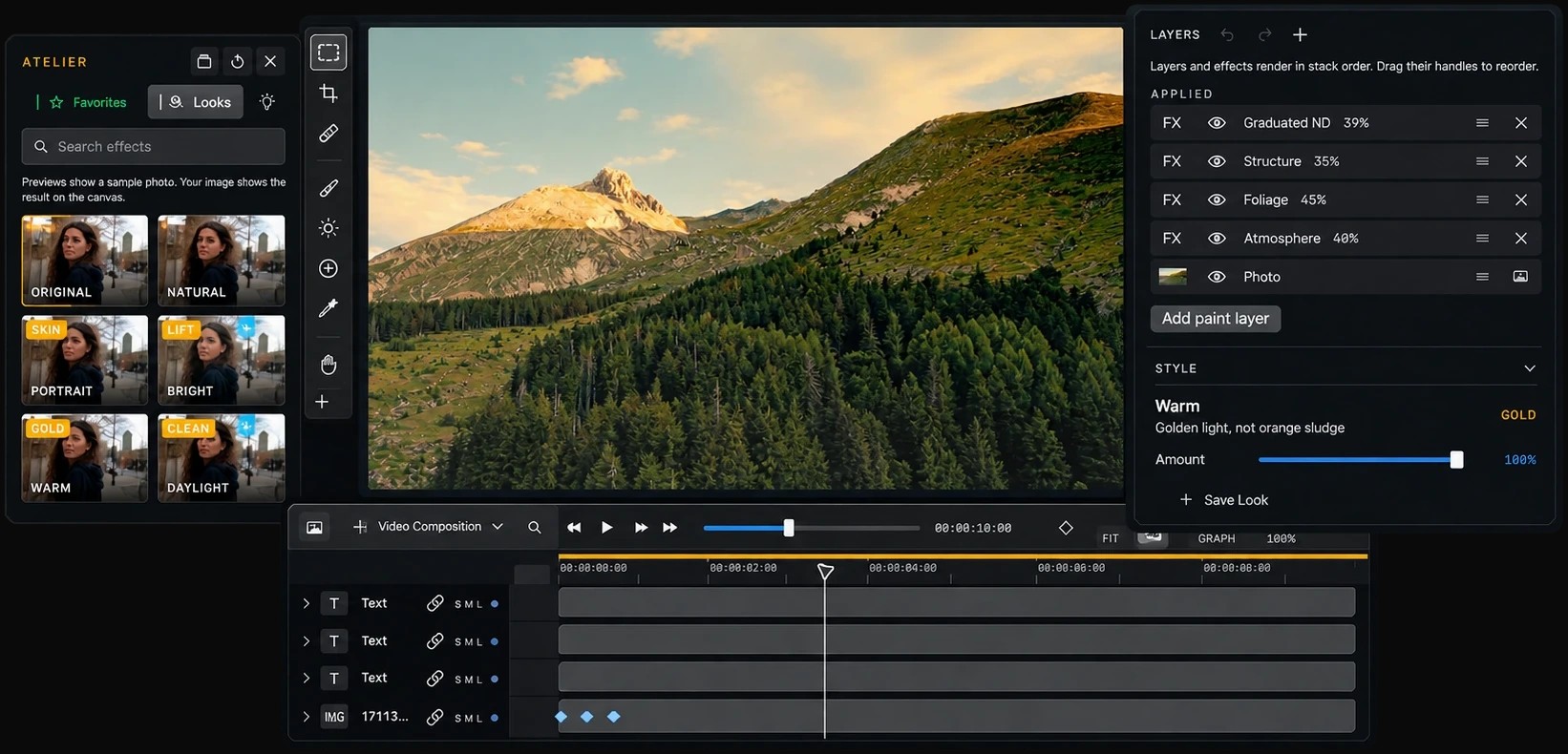
cinemaOS Atelier interface

Atelier

Design posters, photos and brand kits.

  • Posters and layouts with type, grid and editable titles
  • Photo editing and video composition in the same project
  • Brand kits, with every poster aspect checked and exported at once
JPG, 1642 x 790, 243 KB
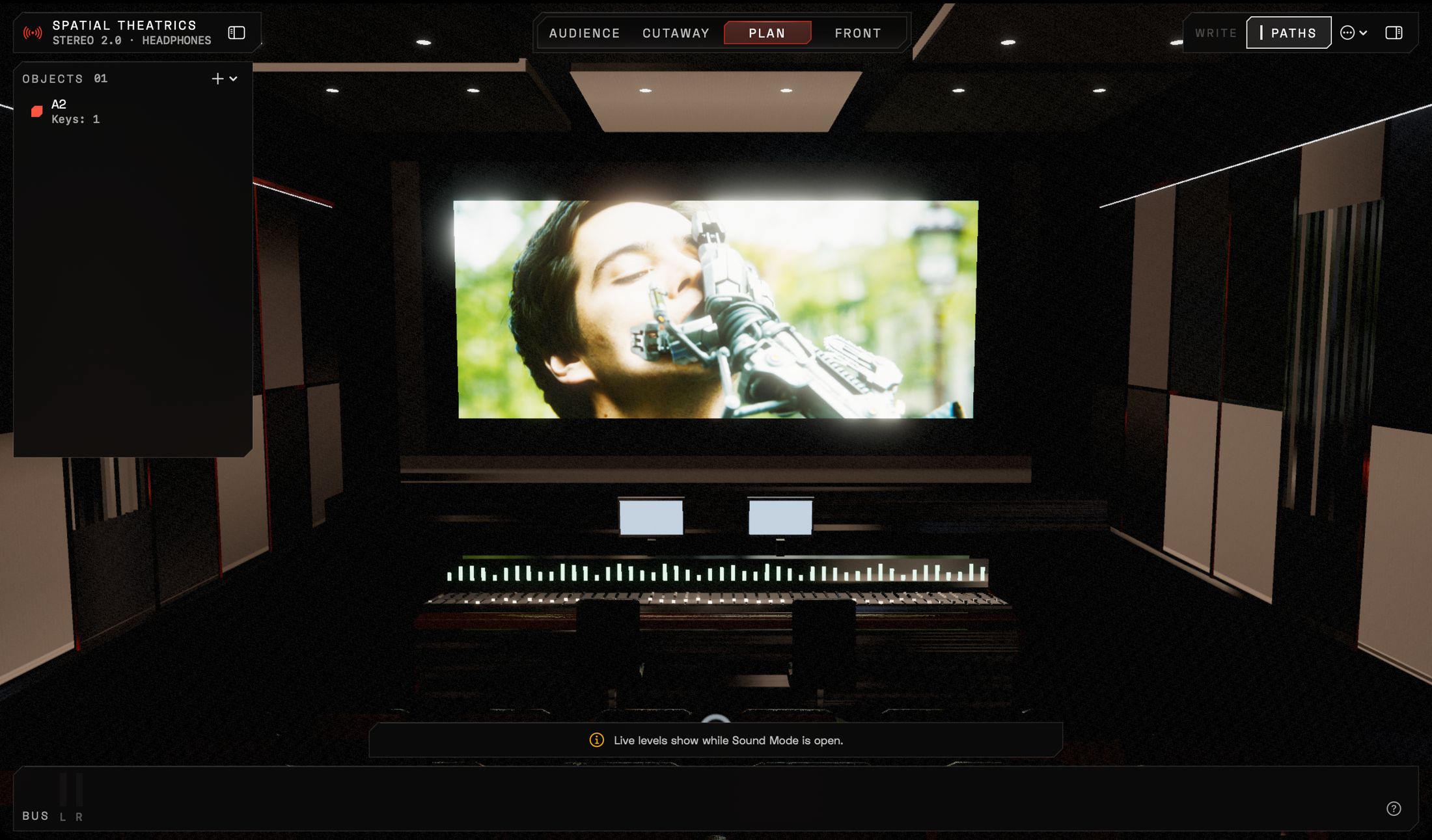
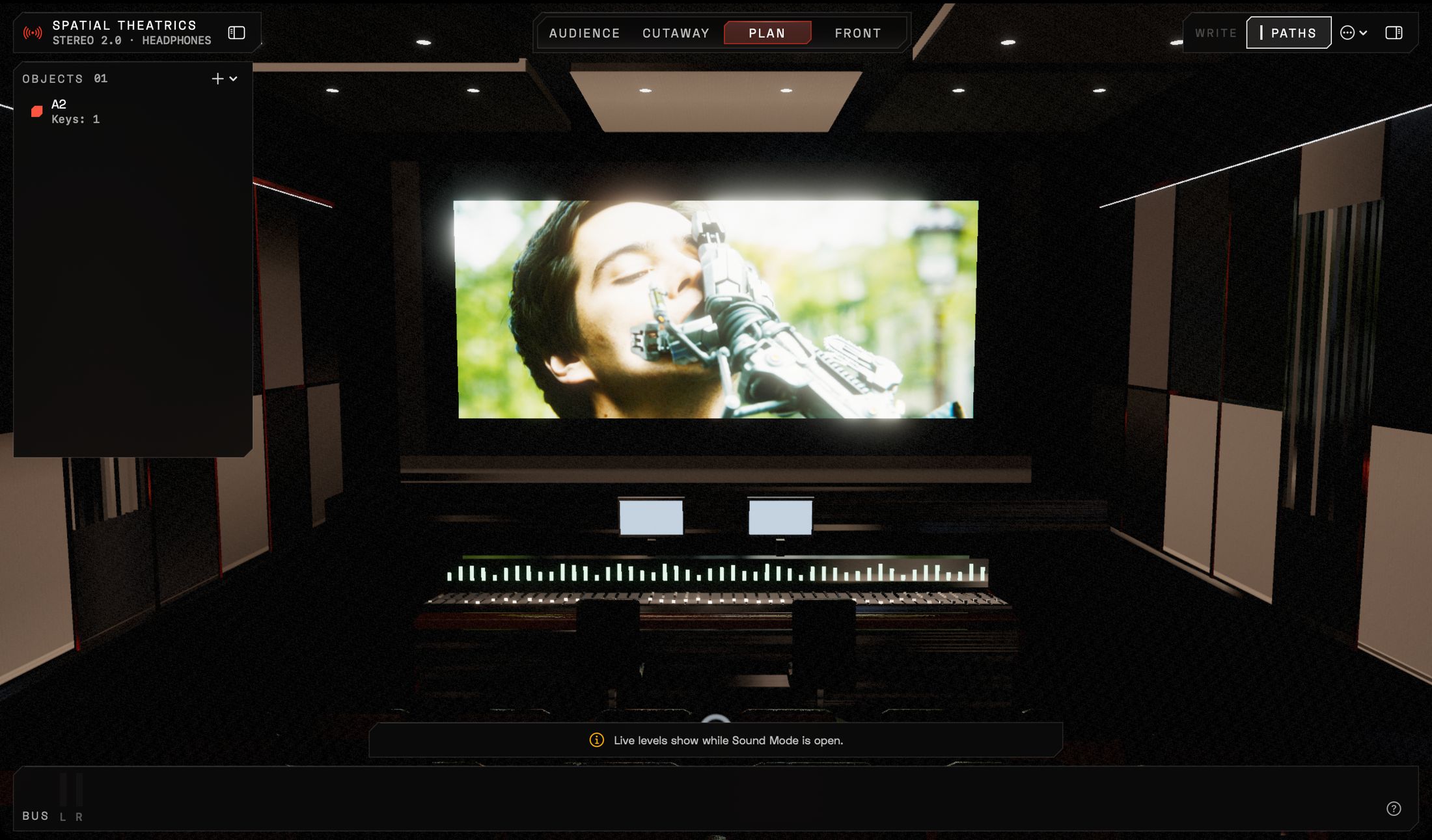
cinemaOS Spatial Theatrics in Sound mode interface

Spatial Theatrics in Sound mode

Mix in a 3D theater.

  • Tracks become objects you place in the room
  • Audience, cutaway, plan and front views
  • DX, MX, FX and AMB buses, with scene loudness against a target
JPG, 2200 x 1291, 298 KB
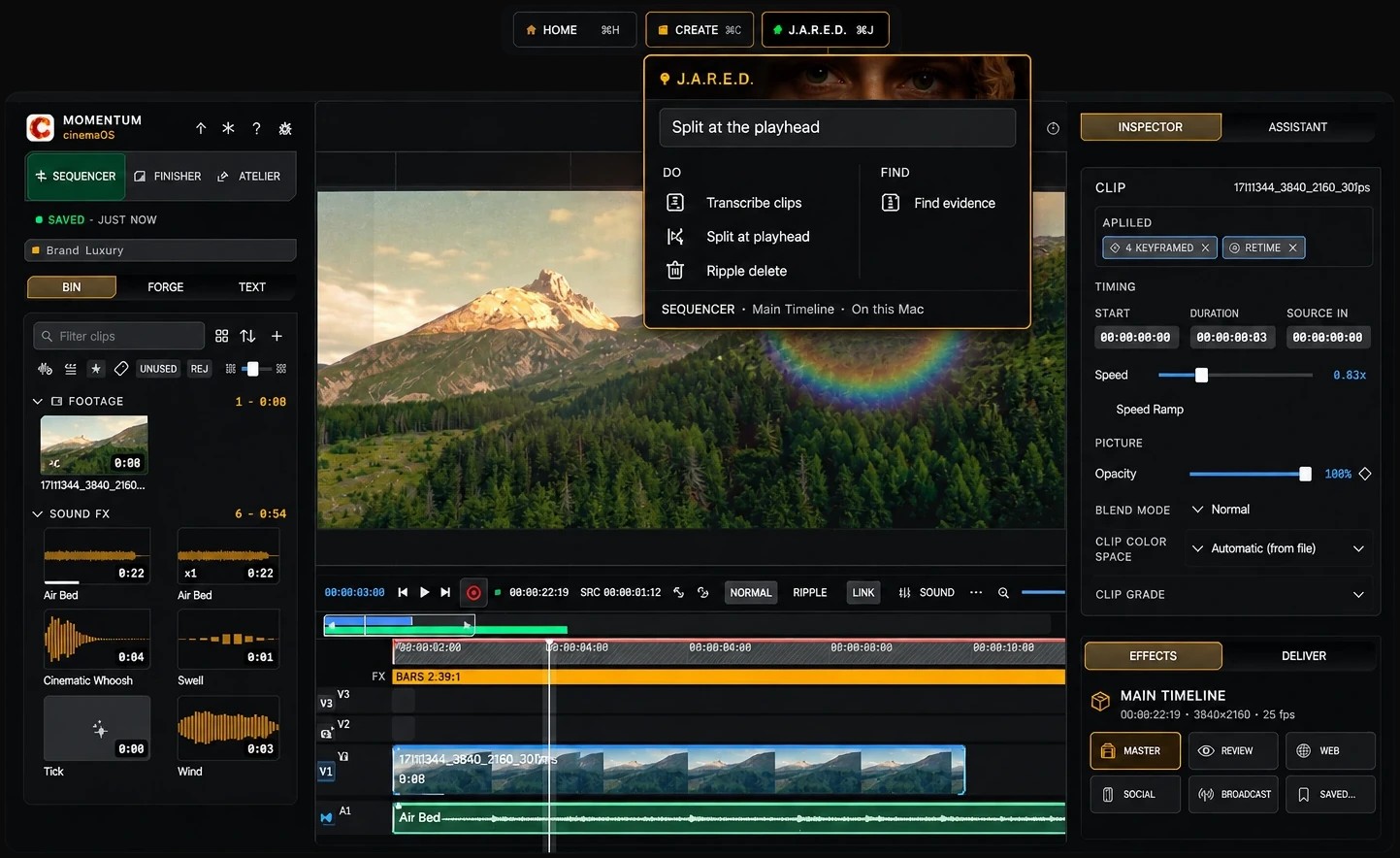
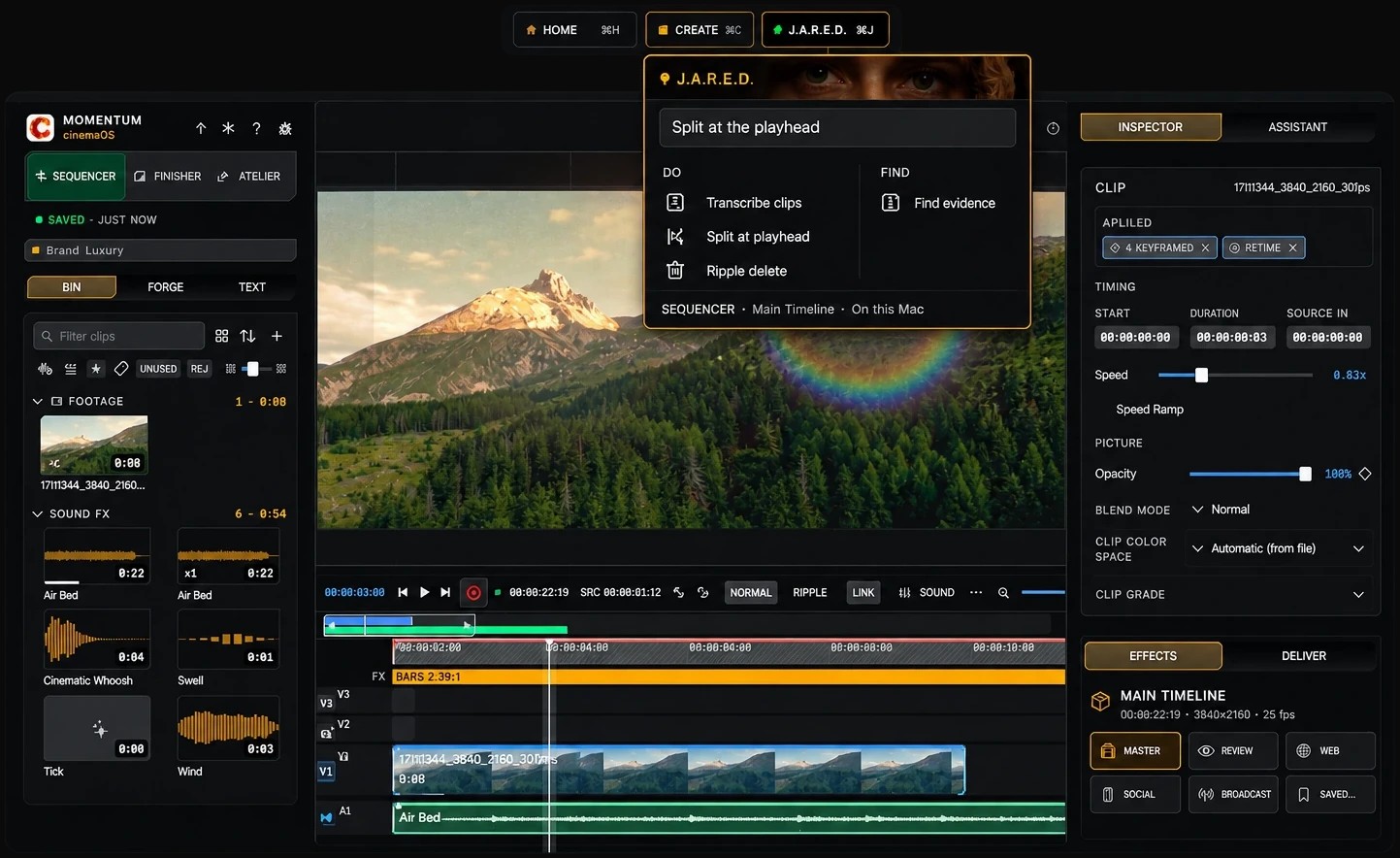
cinemaOS J.A.R.E.D. interface

J.A.R.E.D.

The assistant runs on your computer.

  • Command J: ask for a look or an action in plain words
  • Transcription, translation and looks stay on the machine
  • Follows design instructions, with no credits to buy
JPG, 1443 x 884, 234 KB

Story angles

Two features that make a good story on their own.

Spatial Theatrics

Sound mode puts the mix inside a 3D theater. Each track becomes an object you place in the room, then check from the audience, cutaway, plan or front view. Dialogue, music, effects and ambience run on DX, MX, FX and AMB buses, and the scene's loudness is read against a target while the picture plays.

Watch the Sound console tutorial

J.A.R.E.D. on the device

J.A.R.E.D. is the assistant built into cinemaOS. Press Command J and ask in plain words. It transcribes, translates and applies looks on your computer itself, and follows design instructions. There are no credits to buy, and subtitles can be translated with Wi-Fi off.

Watch the offline subtitles tutorial

Logo and images

Editorial use is permitted with the credit Momentum cinemaOS / Momentum Studios. Footage inside the interface images comes from the Blender Foundation open films Sintel and Tears of Steel (CC BY 3.0).

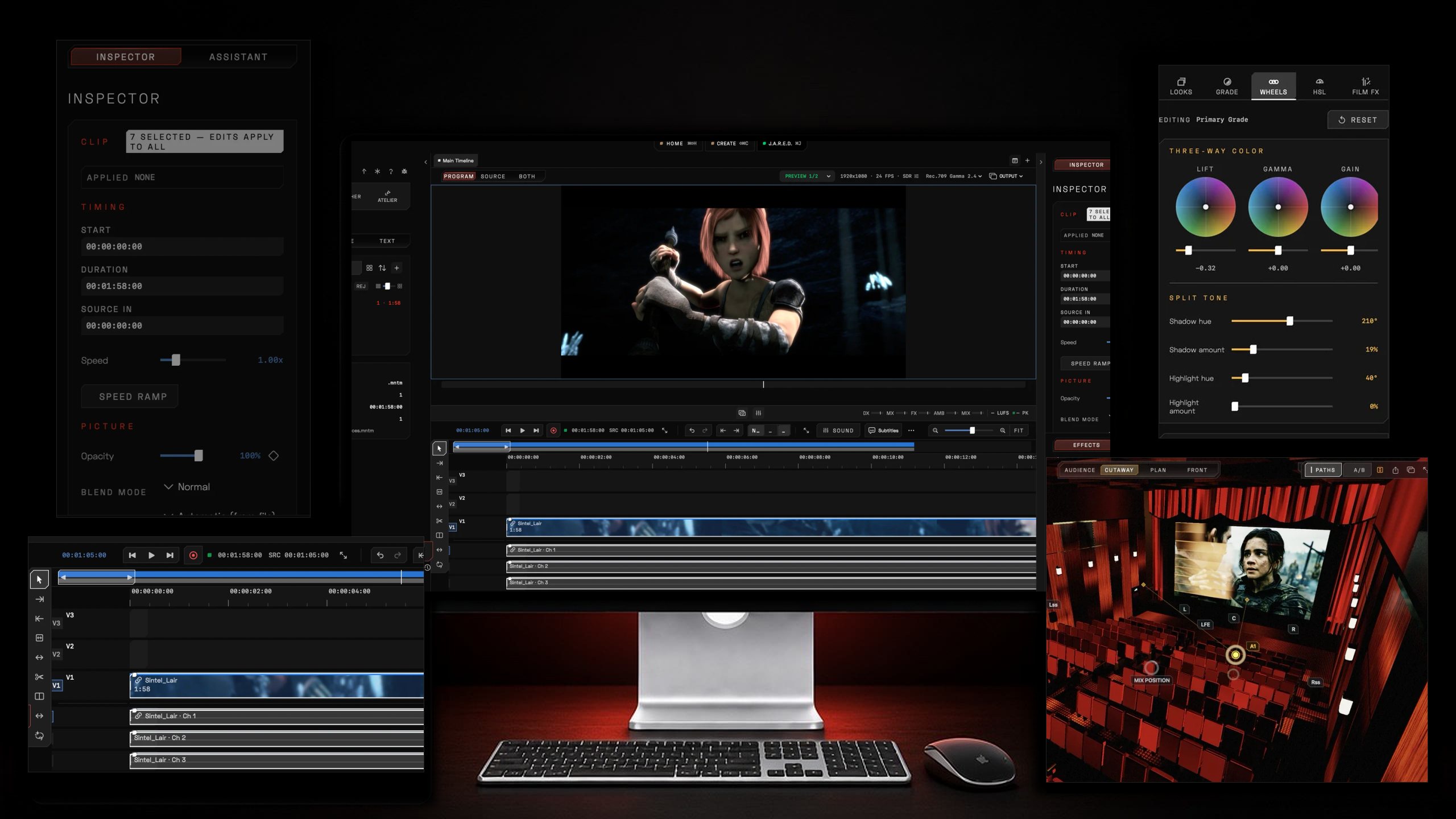
cinemaOS product image
Product imageJPG, 2560 x 1440, 297 KB Download

Further reading

Press contact

Write to us to interview founder Julien Hayet-Kerknawi or to check facts before publication. We can also send more images.

Press
julien@mntm-studios.com
Company
Momentum Studios SI